
How Do I Give FlexBooks Accountant Access to QuickBooks?
Some of the work we do for you needs a login to your QuickBooks. Accountant access gives us one, and it doesn't use up one of your paid QuickBooks users.
You need to be an admin on your QuickBooks company to send the invitation.
How to send the invitation
- Sign in to your QuickBooks Online company.
- Click the Gear icon, then click Manage users.
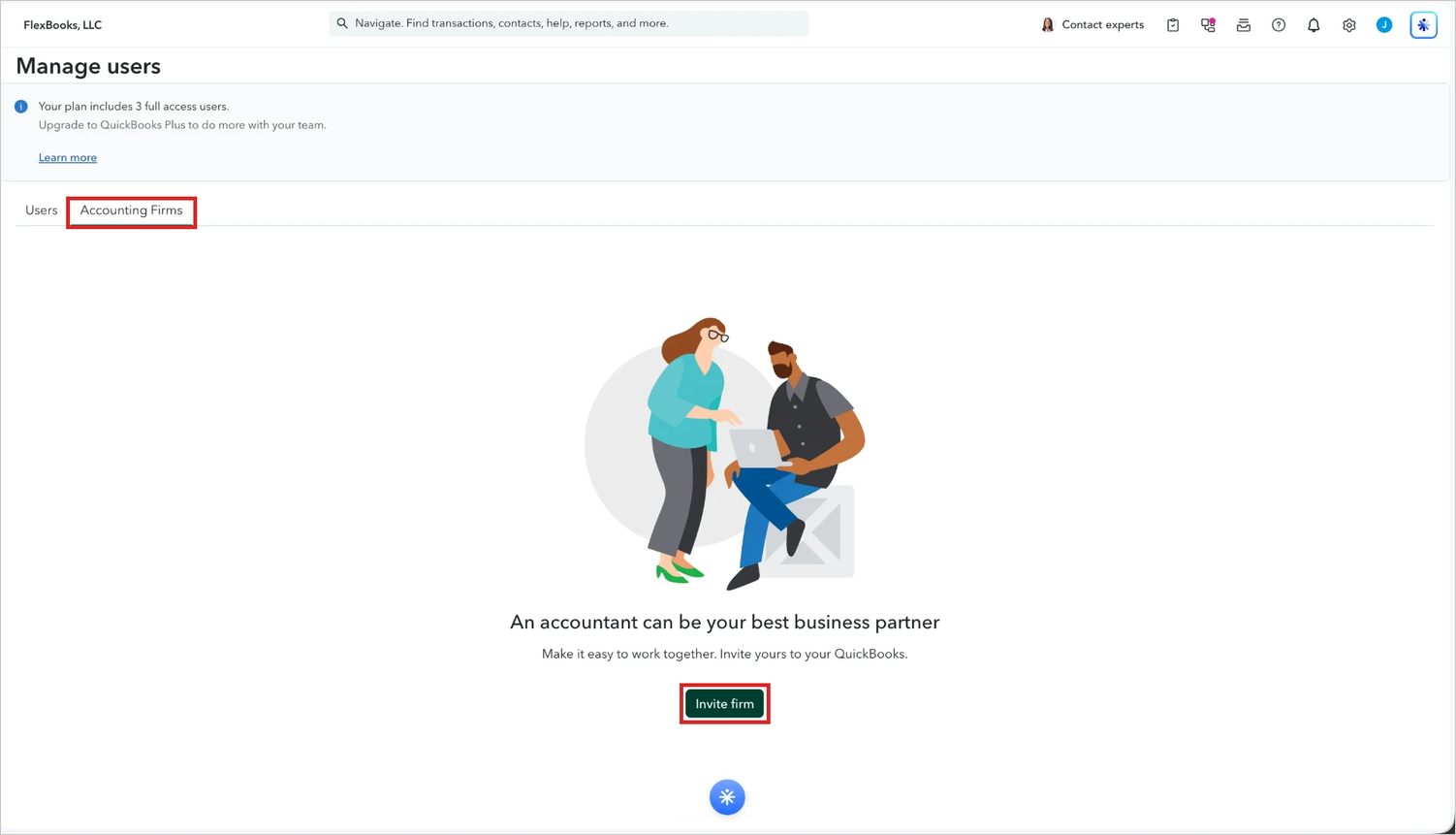
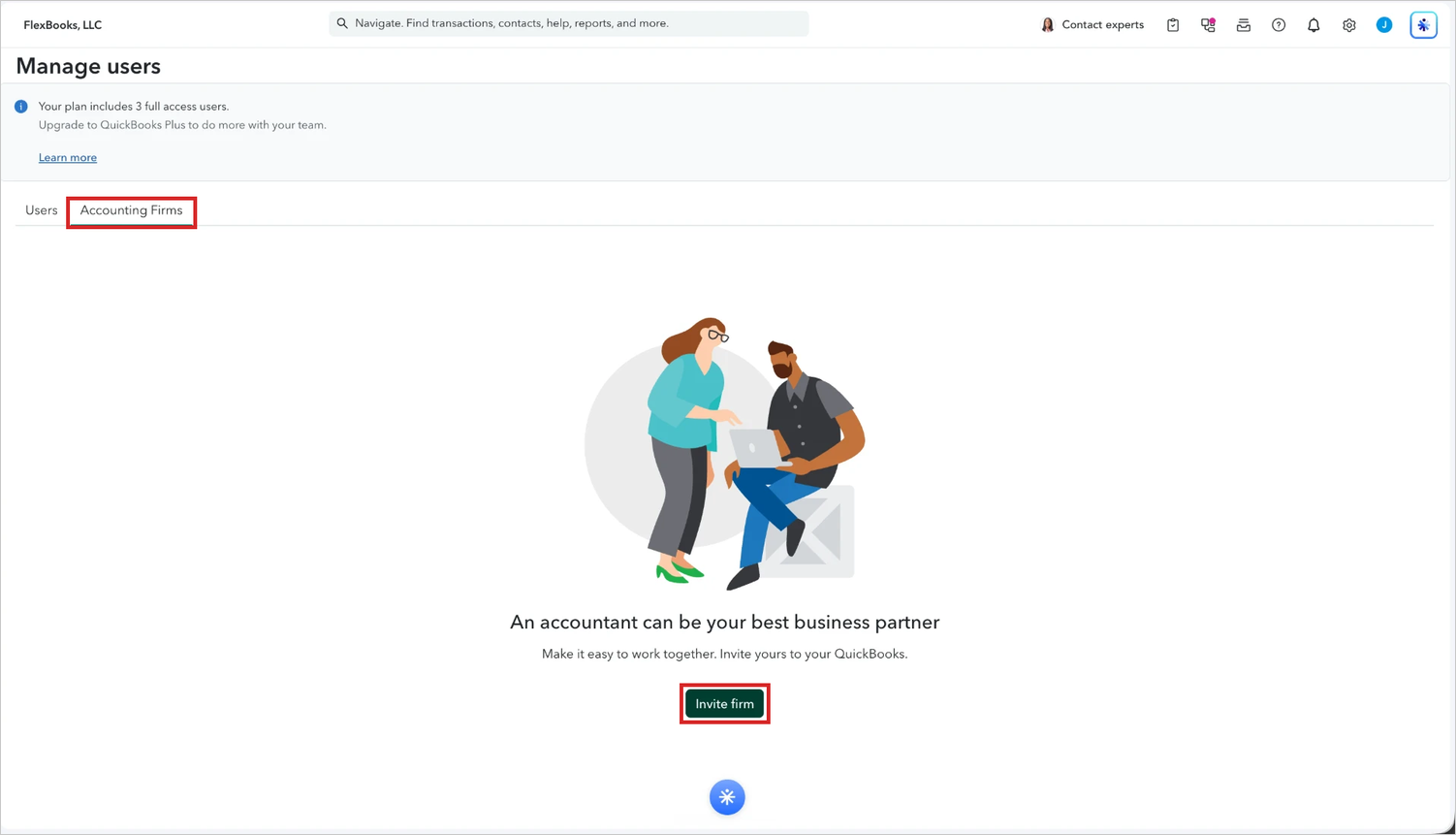
- Click the Accounting Firms tab, then click Invite firm.
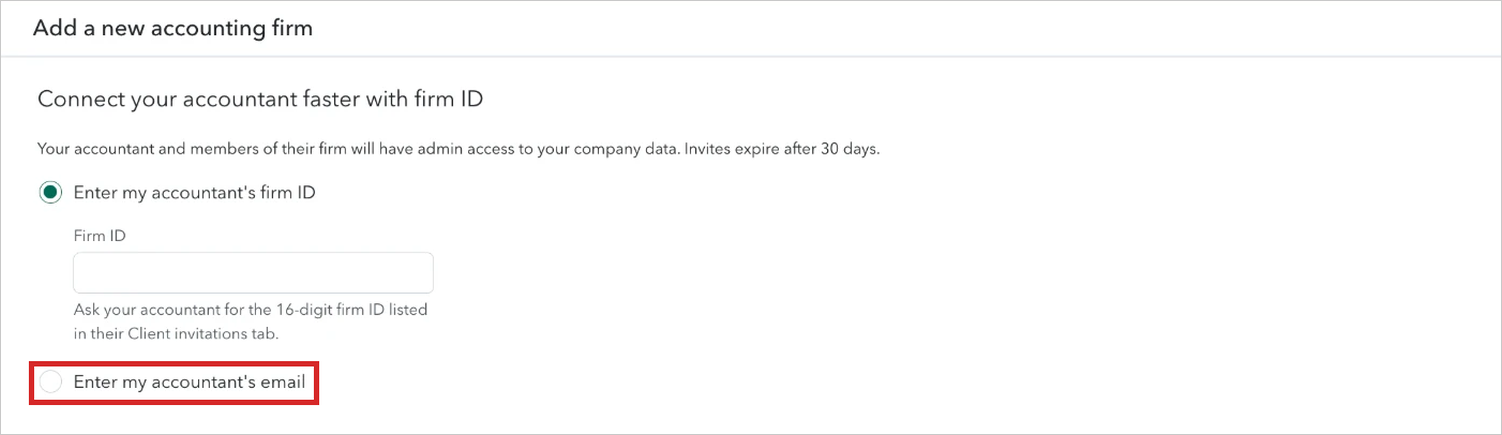
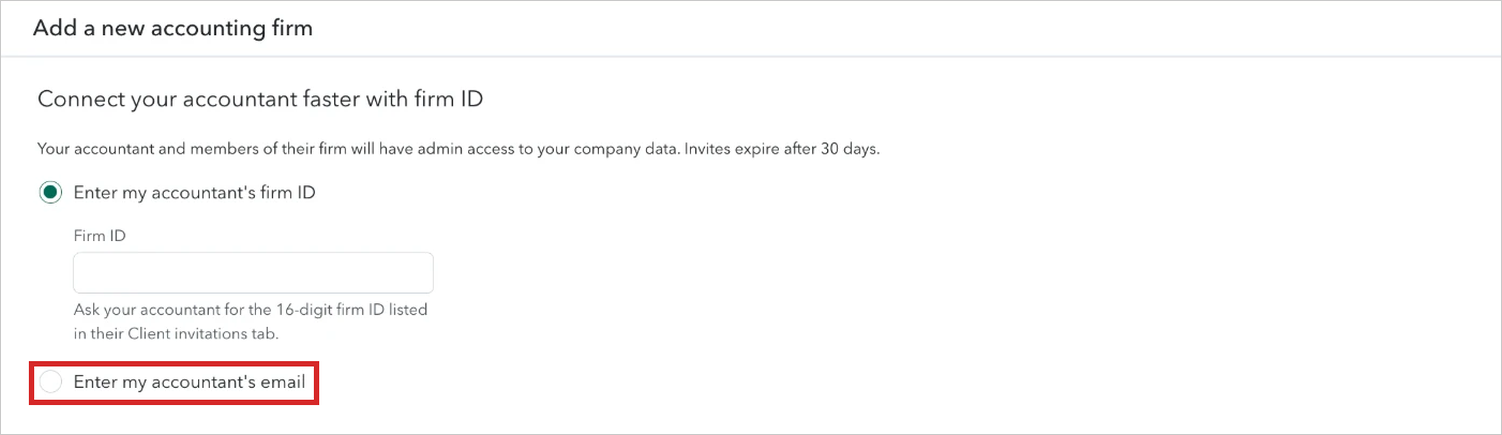
Click to see a larger version - QuickBooks opens asking for a firm ID. You don't need one. Click Enter my accountant's email instead.
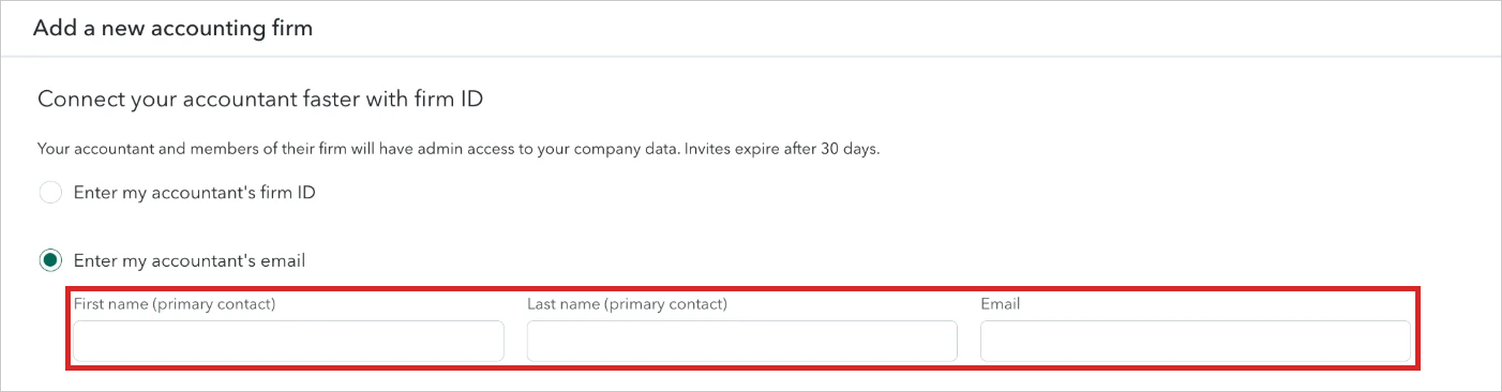
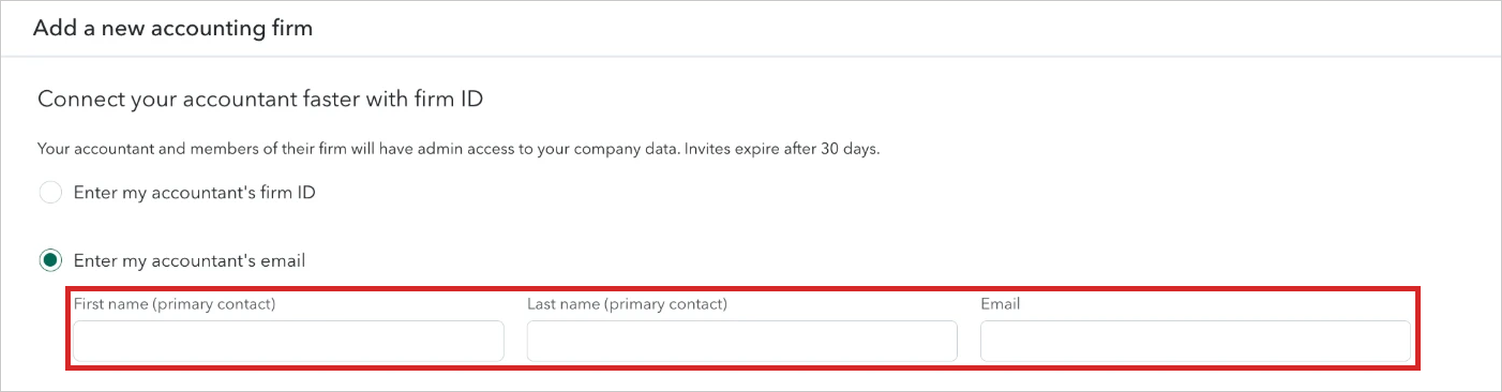
Click to see a larger version - Enter 'FlexBooks' for the first name, 'Support' for the last name, and hello+us@flexbooks.io for the email address (not support@flexbooks.io).
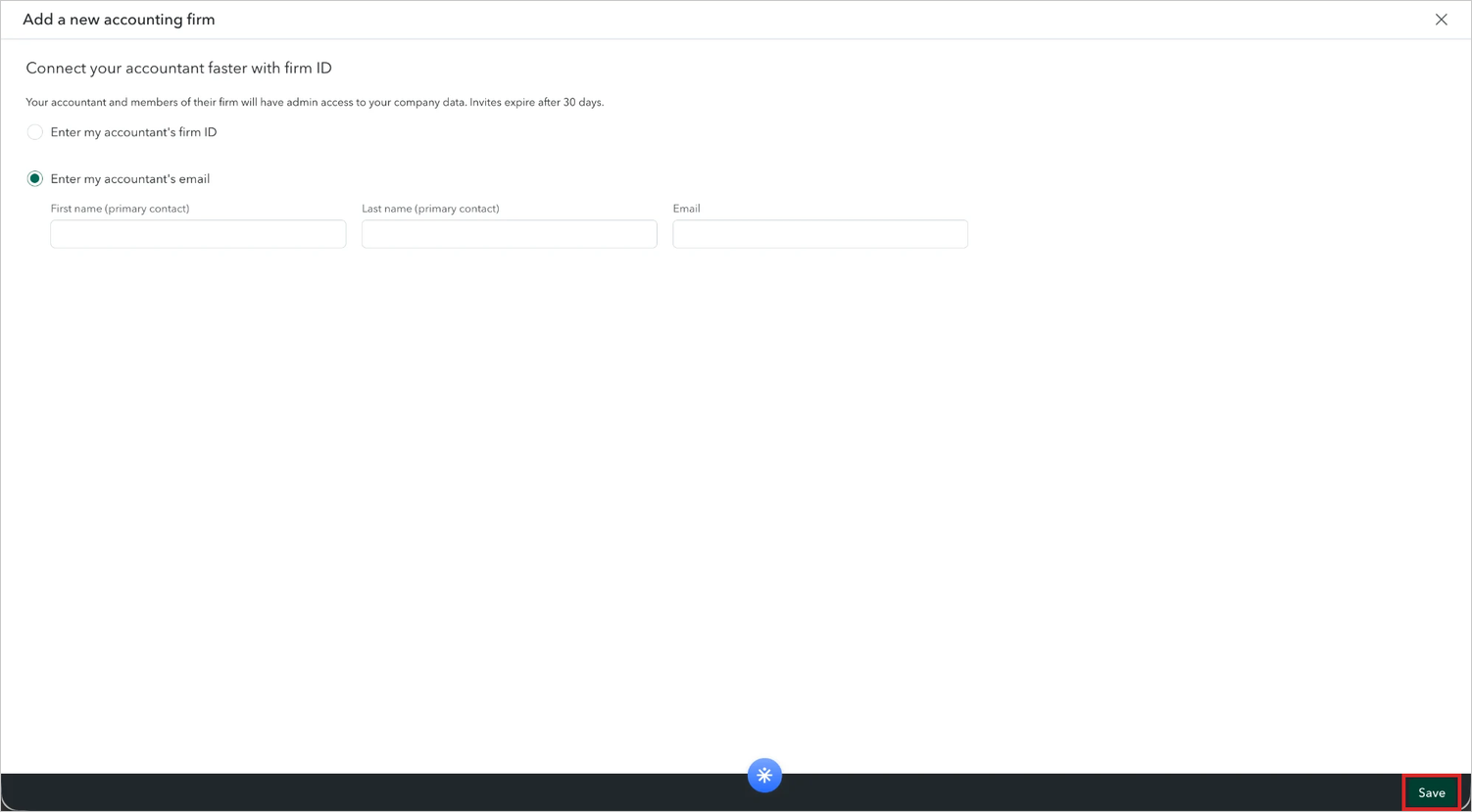
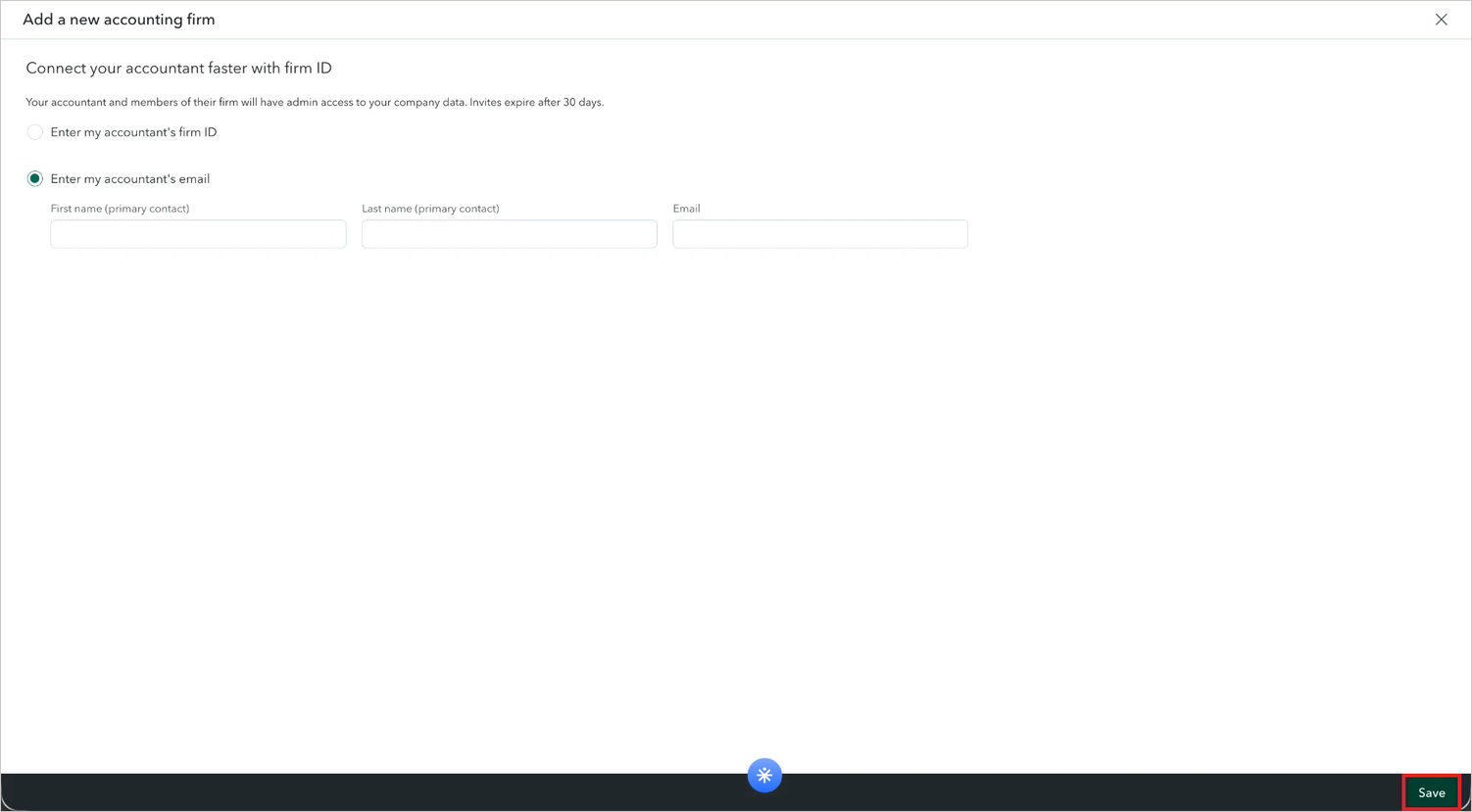
Click to see a larger version - Click Save at the bottom right of the page. If QuickBooks asks for a verification code, enter it and click Continue.
Click to see a larger version
That's all you need to do. QuickBooks emails us the invitation and we'll accept it. Once we have, our status on your Manage users page changes from Invited to Active.